Saira Imran
How to Recover a Hacked Instagram Account Safely and Quickly
If you think your Instagram has been compromised, follow How to Recover a hacked Instagram account right away. Acting quickly and following official steps can stop hackers from causing damage.
In this guide, you’ll learn simple, step-by-step instructions to regain control. We’ll cover how to spot a hack, secure your account, and recover it – even if you only remember your username or lost access to your old email.
Follow the guide carefully to regain control and protect your account for the future.
Understanding Hacked Accounts and Why They Matter
Hacked accounts cause serious trouble for users. Hackers misuse private messages. They post spam links, ask followers for money, and also damage personal and business reputations.
Most users ignore early signs. Hackers take advantage of weak passwords. They also exploit fake emails and phishing links. Once hackers enter, they lock the real owner out.
Instagram allows recovery, but users must act fast. Delays increase damage, and early reporting improves success chances.
Read Also: Recover Hacked WhatsApp Account: PTA Easy Step Guide
How To Know If you got Hacked?

The first step to recovery is recognizing that a hack has occurred. Hackers often leave clear signs of their activity. Being aware of these red flags allows you to act fast, which is crucial for a successful recovery.
Here are the major warning signs:
Unexpected Password or Login Alerts: Receiving a password reset email you didn’t request is a classic sign someone is trying to gain access. Similarly, verification emails for logins from unfamiliar locations or devices are a major red flag.
Being Locked Out: If you suddenly cannot log in with your usual password, a hacker has likely changed it. This is often the most immediate and alarming sign.
Changes to Your Account Details: Check if the email address or phone number linked to your account has been altered. Hackers do this to lock you out and take full control.
Suspicious Activity on Your Profile: This includes posts, stories, or messages you didn’t send. Friends might alert you to strange DMs containing phishing links. You might also find your username, bio, or profile picture has been changed without your knowledge.
How do people hack on Instagram?

Hackers use various tricks to break into accounts. A common method is phishing: they send fake messages or emails pretending to be Instagram to steal your login details. For example, a hacker might send a link asking you to log in – but it’s a scam designed to grab your password.
Another risk is weak passwords. If you use easy or reused passwords, hackers can guess or crack them. Malicious apps or services that ask for Instagram access can also expose you. One expert explains that Instagram phishing uses fake DMs or emails that impersonate Instagram and steal user information or take over accounts.
To protect yourself, be careful with any link or app that asks for your password, and review your account’s connected apps in Settings.
What to do if you get hacked?
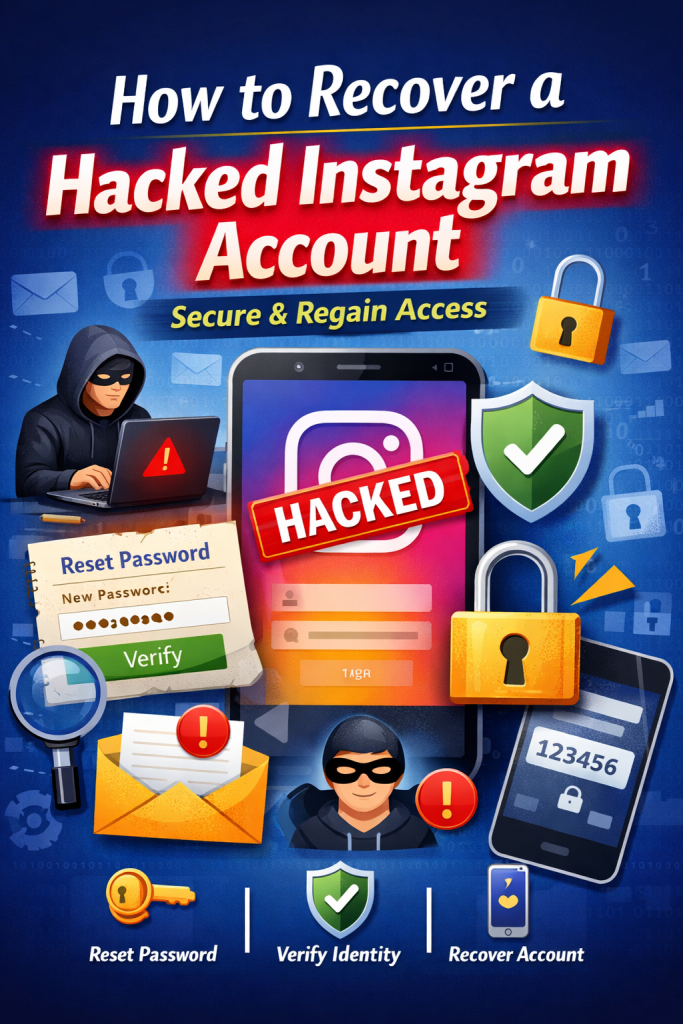
If you still have access after noticing something fishy, take these steps immediately:
- Change your password: In Instagram Settings, create a strong new password that isn’t easy to guess (avoid words like “password” or your name).
- Enable two-factor authentication (2FA): Turn on 2FA in Security Settings. This adds a second step (like a text or authentication app code) when logging in.
- Revoke suspicious app access: Under Settings > Security > Apps and Websites, remove any unknown or untrusted third-party apps linked to your account.
- Review active sessions: Check where you’re logged in: in Settings > Security, view all devices. Log out any unfamiliar sessions.
These precautions lock down your account so the hacker can’t get back in. After securing login, you can proceed with recovery tools if needed.
Step-by-Step: How to Recover Your Hacked Instagram Account
If you’re completely locked out, don’t panic. Instagram provides several official recovery paths.
Method 1: Use a Login Link (If Your Contact Info is Still Attached)
On the login screen, tap “Forgot password?” Enter your username, email, or phone number. If the hacker hasn’t removed it, Instagram will send a secure login link to that email or phone. Clicking it grants you temporary access so you can immediately set a new, strong password.
Method 2: Use the “My Account Was Hacked” Tool (The Most Reliable Method)
This is Instagram’s dedicated recovery pathway. On the login screen, tap “Forgot password?” then look for “Need more help?” or “Can’t reset your password?” Select the option for a hacked account. You’ll be asked to provide a secure email address where Instagram can contact you.
You may then need to complete a video selfie verification so Instagram can match you to the photos on your profile, proving you are the rightful owner.
Method 3: Submit an Account Recovery Form
In severe cases where hackers change your username, email, and phone number, open the Instagram Help section and use the account recovery form to regain access.
You’ll need to provide details like your original username, the email used to create the account, and a description of what happened. This triggers a manual review by Instagram’s support team.
Method 4: Secure Your Account After Regaining Access
After you regain access, continue securing your account. Open Settings and privacy, then go to Accounts Center and Password and security. Check Where you’re logged in and remove any unfamiliar devices or locations.
Then, ensure Two-Factor Authentication is enabled and check for any unauthorized connected third-party apps and remove them.
For more help, visit Instagram’s official Help Center on hacked accounts: Instagram Help – My Account Was Hacked.
How to Protect Your Instagram Account from Future Attacks?
Recovery is a reaction; protection is proactive. What to do if hacked teaches us that prevention is key. Start with a strong, unique password and never reuse it on other sites.
Always enable Two-Factor Authentication—it’s the single most effective security feature. Be extremely cautious of phishing attempts via email, text (smishing), or DM.
Never click suspicious links asking for your login details. Finally, regularly monitor your account’s active sessions and login activity in your settings to spot anything unusual early.
How to recover an Instagram account with only username?
Even if you only remember your username, you can still recover your account.
- On the login page, click “Forgot password?” and enter your username. Instagram will locate your account and send a recovery link or code to the email or phone number on file.
- If the hacker changed your email and you can’t access it, select “Can’t access this email or phone?” on the help screen.
- Instagram then guides you to update your email to a new one.
- In short, follow the recovery prompts carefully – even with just a username, you’ll be able to get a reset link and regain access.
This answers questions like “How do I change my Instagram email without accessing my old email?”, since Instagram will let you choose a new contact email during recovery.
Final Thoughts
Recovering from a hack can feel overwhelming, but the steps to How to Recover a hacked Instagram account are straightforward. Identify the breach quickly, secure your profile with a new password and 2FA, and use Instagram’s recovery tools. If you still have trouble, try the “I can’t access this email” option to update your contact info. Stay vigilant by monitoring login alerts and suspicious messages.
With prompt action and these tips, you’ll reclaim your account and prevent future attacks. For official guidance, see Instagram’s Help Center on hacked accounts.
FAQs
No, Instagram does not offer phone or email support for personal accounts. Instead, use the built-in help forms and recovery tools (like the “Hacked Account” page) to report the issue. Follow Instagram’s automated process to get your account back rather than seeking direct support.
If a hacker gains access, they may post spam or scams from your profile, send fake DMs to friends, or change your account details. In some cases your personal info could be at risk. It’s important to act fast: receiving unexpected security emails or seeing unknown posts are warning signs that you should immediately secure and recover your account.
The recovery time varies. Simple steps like password reset can be instant, but identity checks (like uploading an ID or selfie) may take longer. Many users receive a reset link quickly. Complex cases take more time, especially when hackers change the email or two-factor authentication. Follow every recovery step carefully. Stay patient. Instagram will email you once it restores your account.
Yes, in most cases you can get it back by following Instagram’s recovery process. Use the official help flow explained above. This blog on How to Recover a hacked Instagram account outlines the process: you’ll verify your identity (for example by email or ID) and reset your password. Acting fast improves your chances of regaining access.
While not an Instagram-specific list, globally common and easily hacked passwords include sequential numbers like “123456,” the word “password,” and simple keyboard patterns. Using personal information like your name or birthday also makes passwords very weak.